
Find duplicates
Identify identical and near-identical media files, then review the candidates before deleting anything.
Local-first media library
A new kind of media library, built for the age of AI.
Original by design, on a foundation that lasts, and easy to use with AI: one Rust binary, one SQLite file inside your library to browse your media files. AI assistant friendly by nature via CLI or MCP. Find duplicates, fix wrong dates, recognise faces, and search by what, where and when. Everything runs on the folders you already have, and nothing is ever uploaded.
~> curl -fsSL https://videre.sh/install | sh
~> cd Pictures
Pictures> videre scan
# Reading metadata for 950 file(s)
# Wrote 950 record(s) to "~/Pictures/.videre/hashes.db"
Pictures> videre gallery
# videre gallery: http://127.0.0.1:7878
Local-first
Your library stays on your machine.
No account
Install it and point it at a folder.
No telemetry
Your usage is not sent anywhere.
Apache 2.0
Free, auditable, and open source.
What videre does
Scan what you already have, then search, review, and organise it without handing the originals to another service.
Identify identical and near-identical media files, then review the candidates before deleting anything.
Find untagged media with a natural-language description or an example image.
Group similar faces so you can name a person once instead of tagging files one by one.
Import originals from Google Takeout, Apple Photos, or Lightroom into ordinary folders.
Generate a local web gallery for exploring the library you indexed.
Structured JSON output and a built-in MCP server let agents like Claude search and organise through videre.
Product views
Search, name, and review through a local gallery built from the folders you choose.
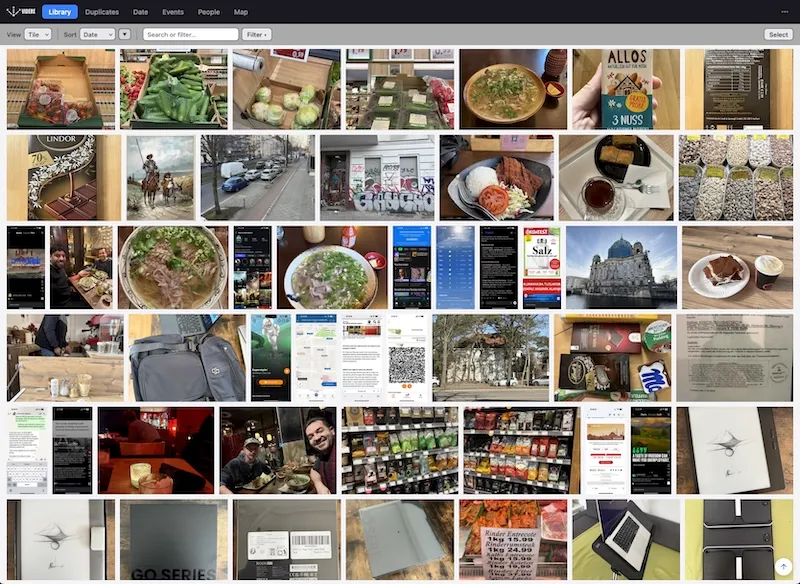
Browse every indexed photo and video in a fast local gallery. Search by meaning, filter by date, place, person or rating, and open any file full screen. Your originals stay where they are.
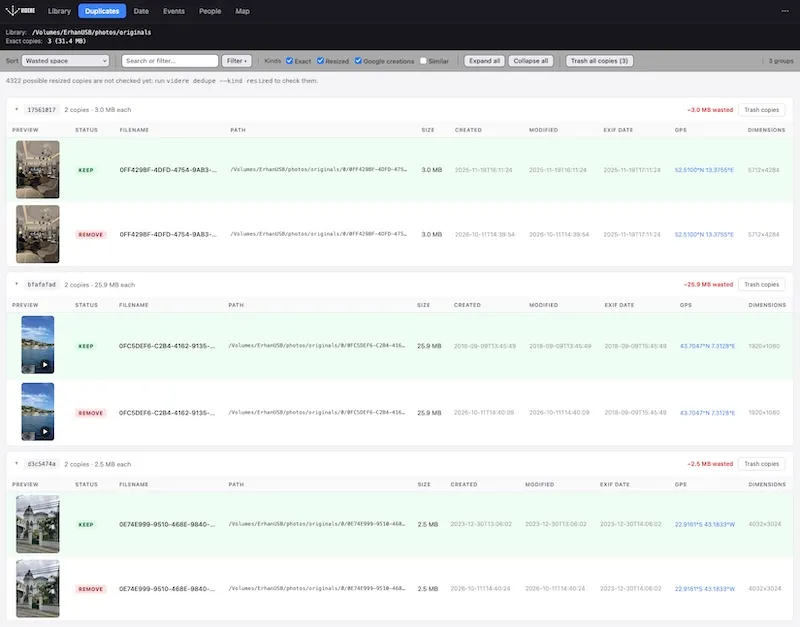
See exact copies side by side, along with Google Takeout edits next to their originals. You choose what goes: removed files go to the Trash, and one command puts them back.
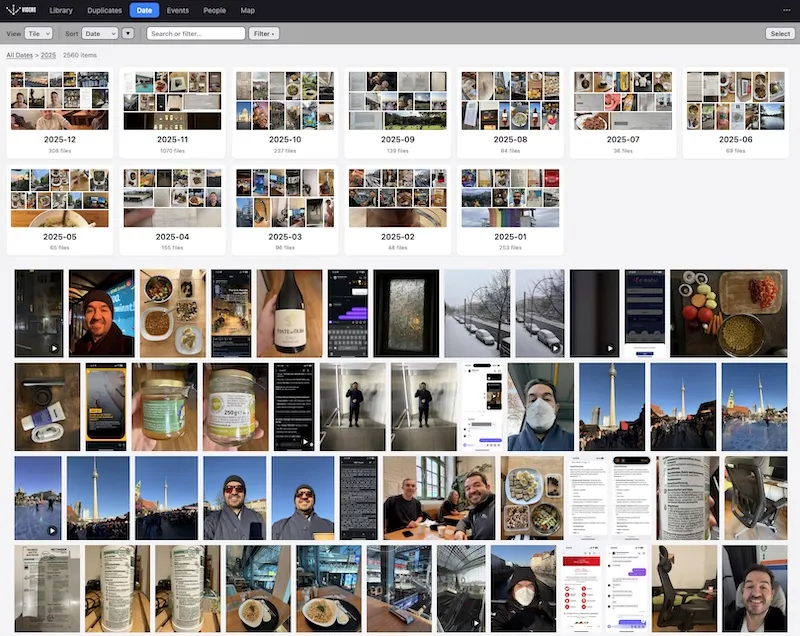
Drill down from years to months to a single day. Dates come from EXIF, video metadata and Google Takeout sidecars, so files that lost their dates when exported land on the day they were taken.
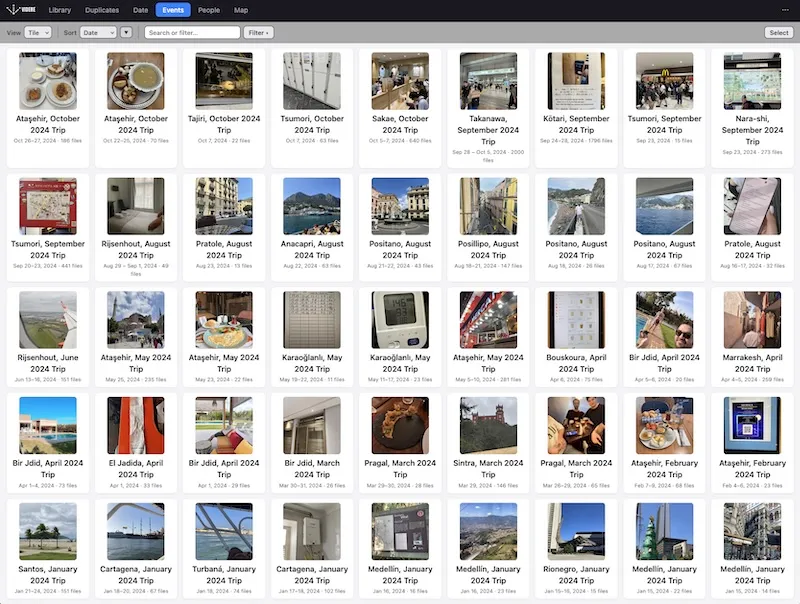
videre spots the times you were away from home using dates and locations, then names each trip by place and month. Open one to see every photo and video from it.
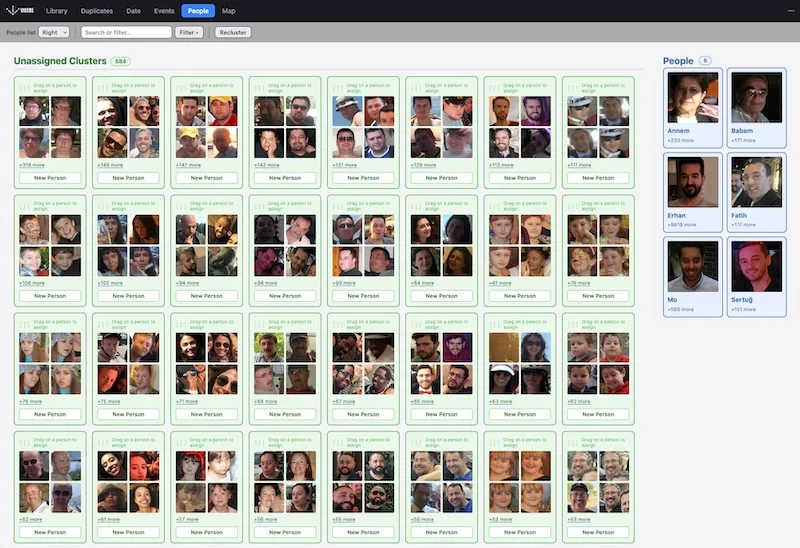
Similar faces are grouped for you, so one name covers a whole group at once. Every person gets a page of their photos, and you can find them in search.
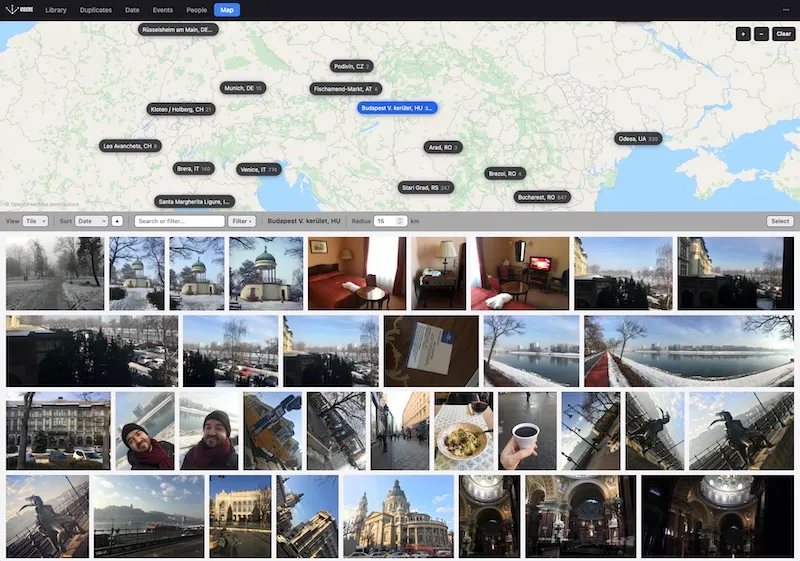
Photos with GPS are grouped into places on a world map that works offline. Pick a place or set a radius to see everything shot there.
Built for ownership
videre indexes what you choose and keeps the work local, predictable, and inspectable.
Read the sourceInstall videre
One command installs the local-first toolkit. Then point videre at a media folder and build your index.
curl -fsSL https://videre.sh/install | sh
Prefer Homebrew? brew install erhangundogan/tap/videre installs and upgrades it too.
Have a Rust toolchain? cargo install videre builds the latest from crates.io.
macOS is the primary platform. Linux is supported with documented HEIC and video-frame
limitations.
Intel Macs are not supported.